How to Swap Out Sections of Minutes |
  
|
How to Swap Out Sections of Minutes |
|
Use Case
You have built two similar estimates. They differ in Minutes under the same branches/tasks.
You want to change some Minutes of either estimate in block mode. The comparison is based on WBS Item and/or Description.
Procedure
 The destination estimate will be partly overwritten.
Close the source and destination estimates.
Click File>Tools>General>Merge estimates.
Select the source, then destination estimates; their explorers show against each other in a window.
Click the 'Copy minutes of all matching Tasks' button; a preview where you can organize the result by dragging one of the four labels pops up; click OK, then the matching sections in the destination are replaced by the homologous ones in the source
OR select one WBS task on each side and click the 'Copy minutes of selected Task' button; the corresponding section in the destination is replaced by the one in the source:
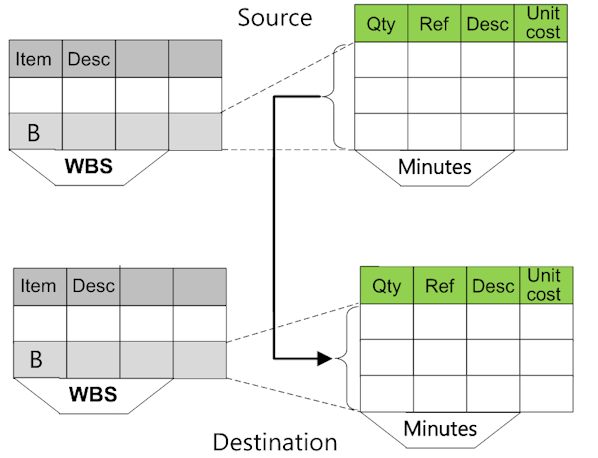
If both estimates feature a database of the estimate, the Minutes and the 'database of the estimate' tab of the destination estimate are populated accordingly.
Click the 'Copy overhead minute' button (if applicable); the tab in the destination is replaced by the homologous one in the source.